A bigger PLY does not mean the conversion added points.
Our synthetic LAZ sample occupies 1,468 bytes. Converting it to PLY produces 35,236 bytes while retaining exactly 1,000 points. Here is how to reproduce the result and interpret the increase without confusing file size with point count or accuracy.
1. Reproduce the size difference
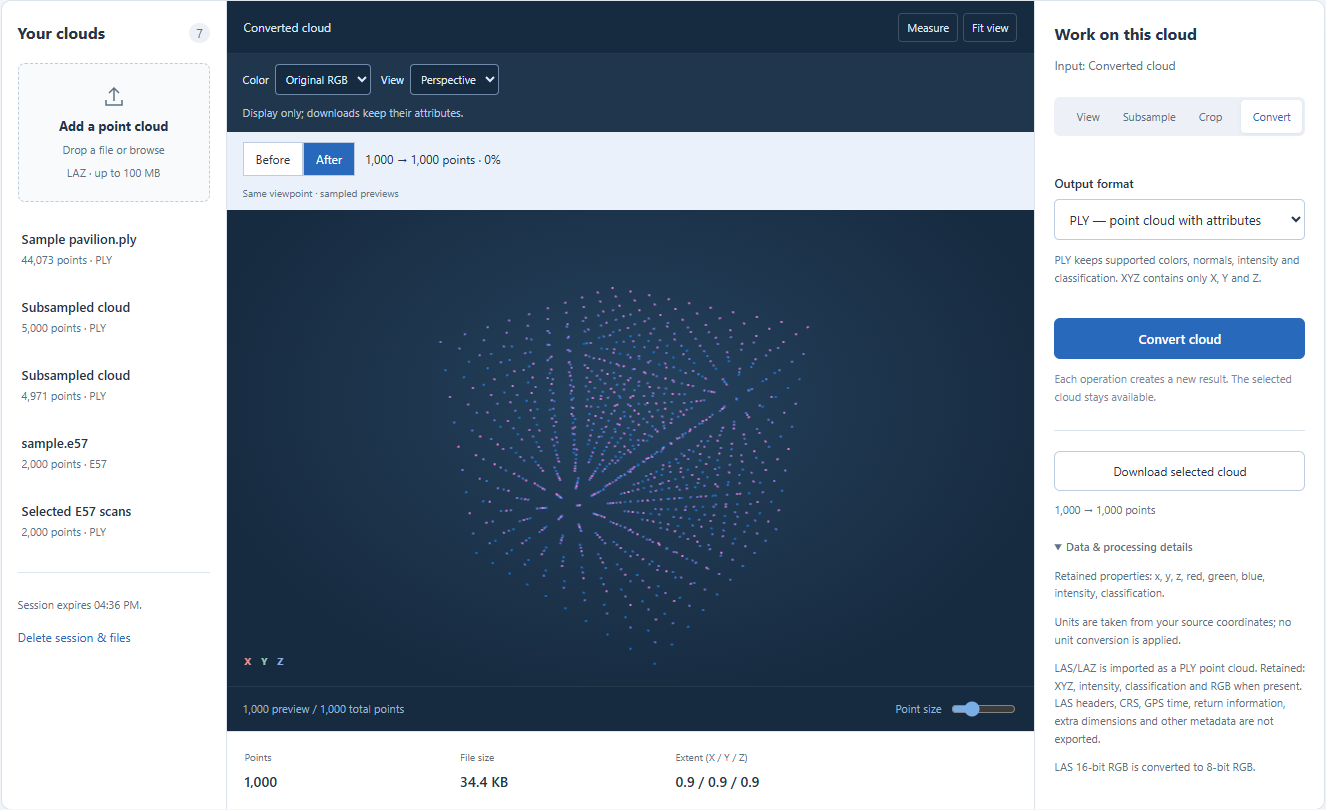
Open LAZ to PLY and choose Try a sample cloud. After import, the point counter reads 1,000. Keep PLY selected, click Convert cloud and select the new result. In our run the downloadable PLY was 35,236 bytes, approximately 24 times the 1,468-byte LAZ input. The interface uses a rounded KB display; the measurements in the table are exact byte counts. The sample is synthetic and highly regular, so this ratio is not representative of every real scan.
2. Separate the upload from the working file
The File size field belongs to the selected working cloud. It is not necessarily the size of the file you originally uploaded. LAS and LAZ are normalized to PLY during import, so the size may already have increased before you click Convert. In this example both the imported working PLY and exported PLY were 35,236 bytes. Compare the original LAZ on your device or Download original upload with the resulting PLY, rather than comparing two displays of the same working representation.
3. Compression and encoding account for different costs
LAZ is a compressed representation of LAS point data. This workflow writes an uncompressed binary PLY with explicit coordinate and attribute values. Regular synthetic points compress especially well, while a noisier scan can have a different ratio. PLY being larger therefore does not imply that new points were created. Conversely, a smaller output is not proof that the conversion preserved every attribute. Byte size alone says little about geometric fidelity or metadata completeness.
4. Check what survived the conversion
The result contains x, y, z, red, green, blue, intensity and classification. LAS 16-bit RGB values are converted to 8-bit values in this workflow. The LAS header, CRS metadata, GPS time, return information and extra dimensions are not exported. The point count stays at 1,000 in this sample, but that does not make the transformation a lossless archive of the LAZ. Coordinates are not reprojected and units are not converted. Large coordinates are offset for processing and restored on export, with possible small rounding differences.
5. Reduce only when the downstream task permits it
If your next application accepts LAZ and you need the original information, retain the source. If it requires PLY, budget for the larger working file. Crop unused regions or subsample when fewer points are acceptable, then compare the actual download size. XYZ is coordinate-only text, not a compression mode; removing attributes does not guarantee it will be smaller than binary PLY. This website does not write LAZ. For files beyond 100 MB or 5,000,000 points, prepare a smaller working copy locally before uploading.
| File or stage | Bytes | Point count |
|---|---|---|
| Original sample.laz | 1,468 | 1,000 |
| Imported working PLY | 35,236 | 1,000 |
| Exported PLY | 35,236 | 1,000 |
Common questions
Will converting back restore the original LAZ metadata?
No. Information omitted from the PLY cannot be reconstructed just by changing the extension or converting it again. Keep the original LAZ when its metadata matters.
Does 24 times larger mean 24 times more detail?
No. Both files in this example contain 1,000 points. The ratio describes storage for this specific input and output encoding; it is not a measure of resolution or accuracy.